▄███████  ▄███████  ███       █████████ ███   ███ ██████▄    ▄███████  ██████▄   ▄███████  ███   ███ ███   ███
███   ███ ███   ███ ███       ███       ████  ███ ███   ██▄  ███   ███ ███   ███ ███   ███ ███   ███ ███   ███
███   █▀  ███   ███ ███       ███       █████ ███ ███    ██  ███   ███ ███   ███ ███   █▀  ███   ███  ███ ███
███       █████████ ███       ███████   ███▀█▄███ ███    ██  █████████ ██████▀   ███       █████████   █████
███       ███   ███ ███       ███       ███ ▀████ ███    ██  ███   ███ ███  ██▄  ███       ███   ███    ███
███   █▄  ███   ███ ███       ███       ███  ████ ███    ██  ███   ███ ███   ███ ███   █▄  ███   ███    ███
███   ███ ███   ███ ███       ███       ███   ███ ███   ██▀  ███   ███ ███   ███ ███   ███ ███   ███    ███
 ▀█████▀  ███   ███ █████████ █████████ ███   ███ ██████▀    ███   ███ ███   ███  ▀█████▀  ███   ███    ███
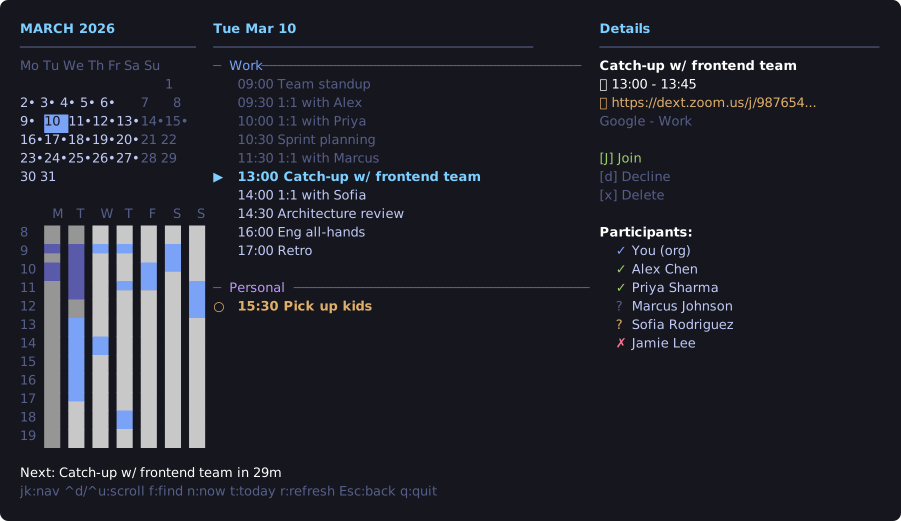
A keyboard first calendar TUI.
brew tap sovanesyan/tap
brew install calendarchy
yay -S calendarchy-bin
git clone https://github.com/sovanesyan/calendarchy.git
cd calendarchy && cargo build --release
MIT License